The short answer
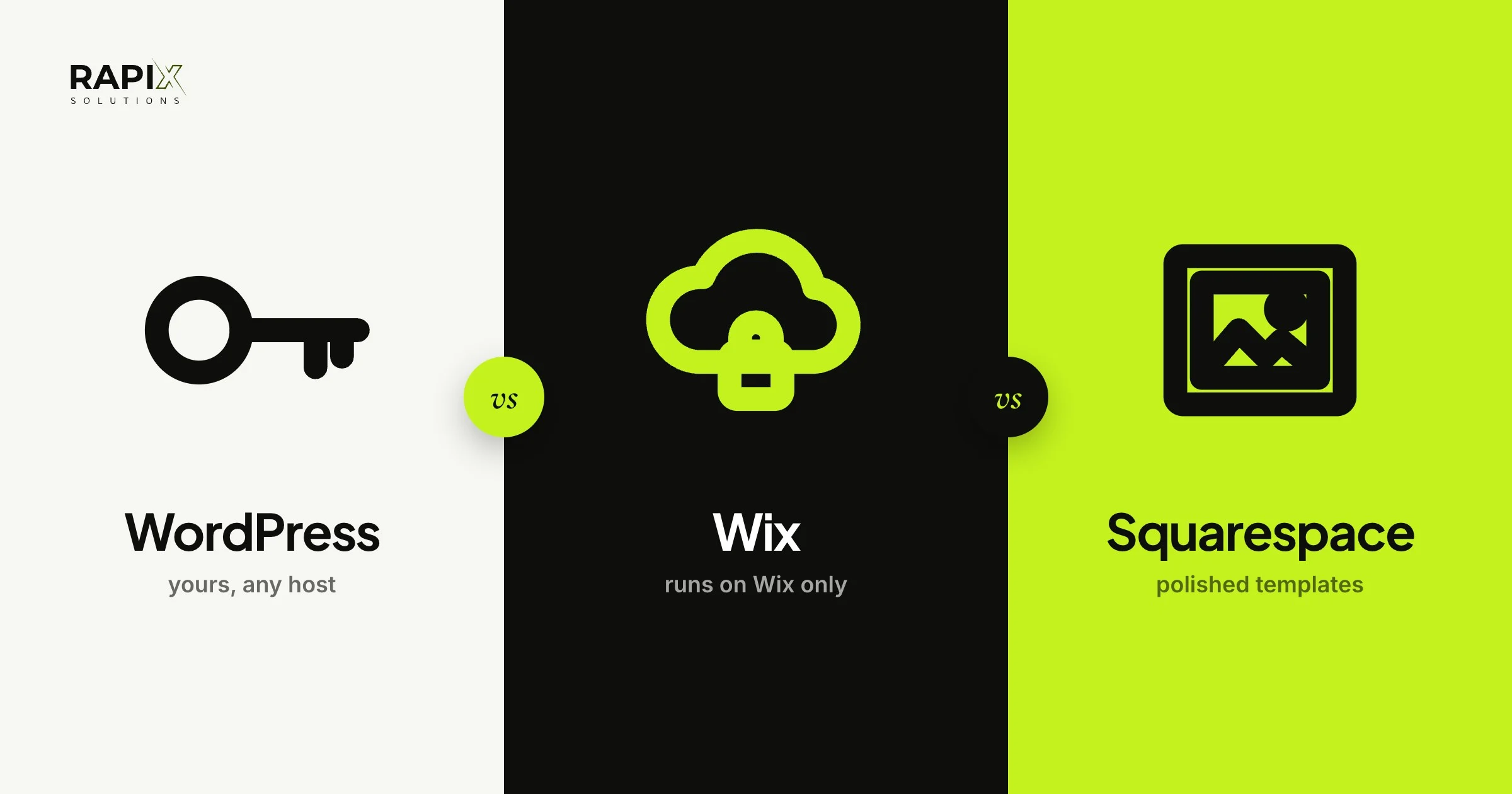
WordPress vs Wix vs Squarespace comes down to who will run the site and how far it has to grow. Squarespace suits a polished site of a few pages that you’ll run yourself. Wix suits the same owner who wants more freedom to place things. WordPress suits a business that will keep adding services, locations and articles, wants to own the site outright, and may change developers or hosts later. Wix and Squarespace bundle hosting, security and updates into one plan, but the site stays on their platform: a Wix site has to run on Wix’s servers, and Squarespace’s export leaves store pages behind. WordPress software is free, but you pay for hosting and upkeep. We build on WordPress and Shopify, so weigh our view with that in mind. After more than 100 websites, our rule is simple: pick the platform for the person who will edit it every week.
For most small businesses, WordPress vs Wix vs Squarespace is the first real decision about the website, and it’s harder to undo than it looks. All three can give you a good site. They differ in who owns what, who keeps it running, and what happens when you outgrow it or want to leave. Below: each platform in a paragraph, the five things that actually decide it, what you pay from Australia, and which one we’d pick for different businesses, with sites we’ve built as examples.
General information, not financial advice. Plans, fees and features were checked on 25 October 2026 and change often, so check each provider’s own page before you sign up.
The honest question first: who will run the site?
Start with the person, not the platform. If you’ll build the site yourself and change it every week without help, Wix and Squarespace keep everything in one login and handle the technical side for you. If a developer builds it, or your team will add pages and articles for years, WordPress gives them more room and gives you more control. Answer that first and most of the WordPress vs Wix vs Squarespace comparison follows. The budget question comes next, and our guide to what a website costs in Australia covers it cost by cost.
WordPress, Wix and Squarespace in one paragraph each
WordPress
WordPress is free, open-source software that runs on hosting you choose. A theme sets the design, plugins add features, and a page builder such as Elementor can make editing as visual as a builder. One thing trips people up: WordPress.com is a hosted service run by a company, while the free software from WordPress.org is what you install on your own hosting. When agencies say “a WordPress site”, they almost always mean the second.
Wix
Wix is a website builder: you pick a template, drag things where you want them, and Wix handles hosting, security and updates. Its plans run from Light to Business Elite, and taking payments online starts on the Core plan. The site itself stays on Wix.
Squarespace
Squarespace is a hosted builder known for polished, design-led templates. It’s more structured than Wix, so a layout is harder to break and easier to keep tidy. Its three plans are Basic, Core and Advanced, and Basic adds a 2% fee to online store sales, which Core and Advanced don’t.
WordPress vs Wix vs Squarespace, head to head
| What matters | WordPress | Wix | Squarespace |
|---|---|---|---|
| Who hosts it | Any host you choose | Wix only | Squarespace only |
| How you pay | Hosting, domain and upkeep; the software is free | One plan, monthly or yearly | One plan, monthly or yearly |
| Editing | Block editor, or a visual builder such as Elementor | Free-form drag and drop | Structured sections, harder to break |
| Selling online | WooCommerce, or Shopify alongside | From the Core plan | Every plan; a 2% fee on Basic |
| Upkeep and security | You or your developer | Handled by Wix | Handled by Squarespace |
| Moving later | The whole site moves to any host | Rebuild elsewhere; content is yours | Some content exports; store pages don’t |
The five things that decide WordPress vs Wix vs Squarespace
1. Owning it, and moving later
WordPress is the only one of the three you can pick up and move whole. A WordPress site is files and a database that run on any host, so changing host or developer doesn’t mean rebuilding. Wix can’t do that: its help centre says a Wix site needs to be hosted and operated on Wix’s servers. The content belongs to you and the domain can move, but leaving means rebuilding the site.
Squarespace sits in between. Its export is a file WordPress can import, with your ordinary pages, one blog, and text and image blocks. Store pages, product blocks, portfolio pages, video blocks, your style settings and any custom code stay behind. For a shop, that’s most of the site. In the WordPress vs Wix vs Squarespace choice, this is the difference people only notice when they try to leave.
2. Editing it yourself
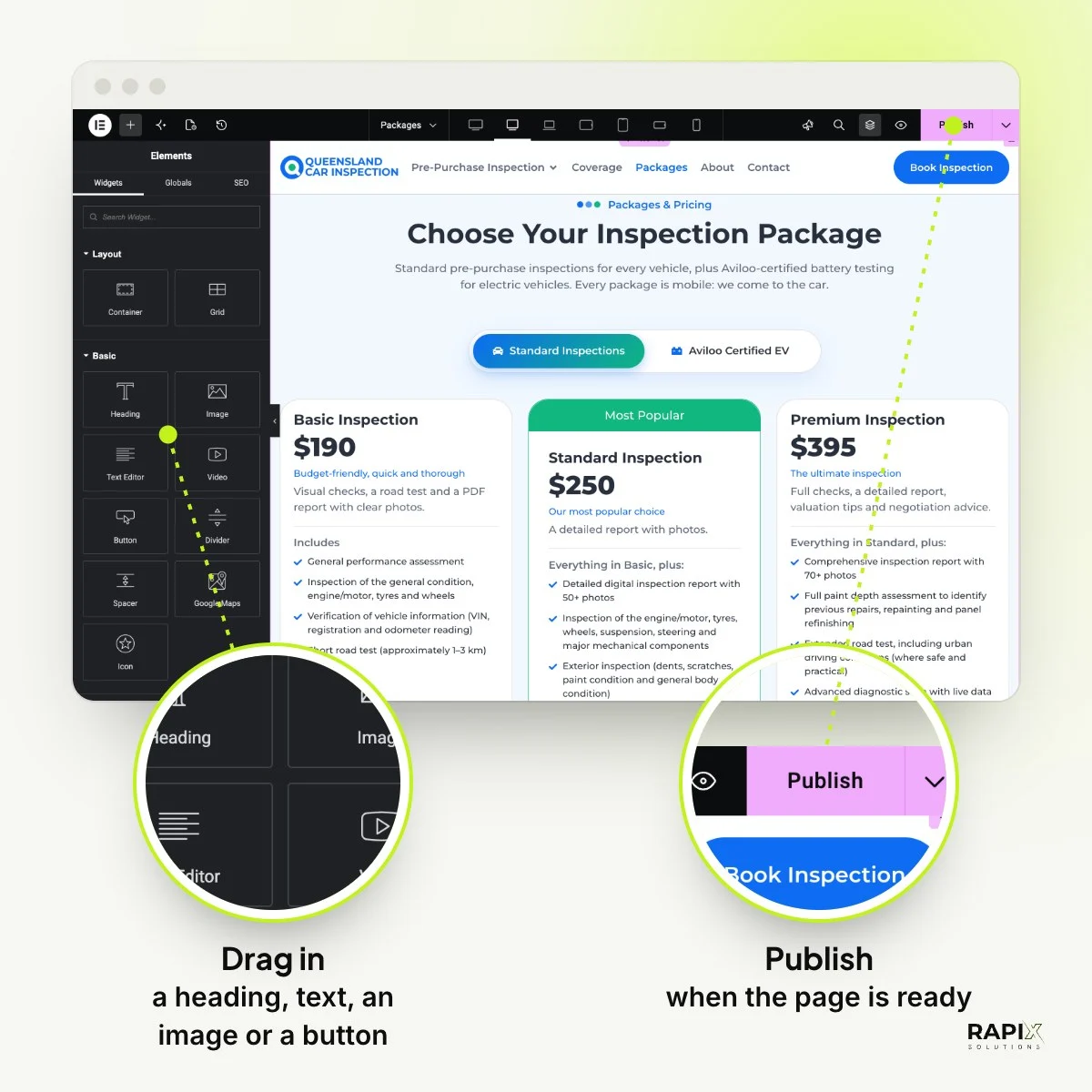
Wix and Squarespace are built for owners to edit, and WordPress can be just as visual when it’s set up with a page builder. QLD Car Inspection, a site we built, runs on WordPress with Elementor because their team publishes and edits pages themselves. They click into a heading or a price on the page and change it, then publish.
Not every WordPress site we build is edited the same way. Brisbane Car Inspection uses WordPress’s own block editor, and CarAssure is a hand-coded theme with no page builder, which keeps every page lean but leaves layout changes to a developer. So the real WordPress vs Wix vs Squarespace question about editing isn’t which is easiest. It’s who will edit, and how much freedom they need.
3. Upkeep and security
Upkeep is the quiet difference in WordPress vs Wix vs Squarespace. Wix and Squarespace do it for you: updates, security and hosting come with the plan. On WordPress, someone has to update WordPress, the theme and the plugins, and keep backups. It isn’t hard, but it has to be someone’s job, so agree whose before launch. We include 30 days of support after launch for fixes; after that, changes are quoted per job.
4. Room to grow, and SEO
All three can rank on Google; the difference is control as the site grows. Google ranks pages, not platforms, and all three handle page titles, descriptions and sitemaps. WordPress with an SEO plugin such as Rank Math, which we use on our own site, adds control over structured data, redirects and dozens of service or location pages. That matters once you have them. For a five-page site, the content and speed of the pages count for more than the platform, and our guide to how long SEO takes explains what to expect either way.
5. What you pay in Australia
On price, WordPress vs Wix vs Squarespace is a comparison of running costs, not software. WordPress costs nothing to install but has running costs; Wix and Squarespace roll theirs into one plan. Both builders show prices for the country you’re in, so open their plan pages from Australia to see what you’d pay in Australian dollars. Some things don’t change by country:
- Squarespace: paying yearly saves up to 36% on the plan, and Basic adds 2% to every online store sale.
- Wix: taking payments starts on the Core plan, not the entry Light plan.
- WordPress: hosting, a domain, any premium plugins, and someone’s time for updates. Check the hosting renewal price, not the first term.
Here’s the sum that catches store owners: sell A$5,000 a month online on Squarespace Basic and the 2% fee is A$100 a month, on top of card fees. That’s the figure to set against moving up to Core.
Who should pick which
Here’s how WordPress vs Wix vs Squarespace plays out for the businesses we see most. The first question that gets a “yes” decides it.
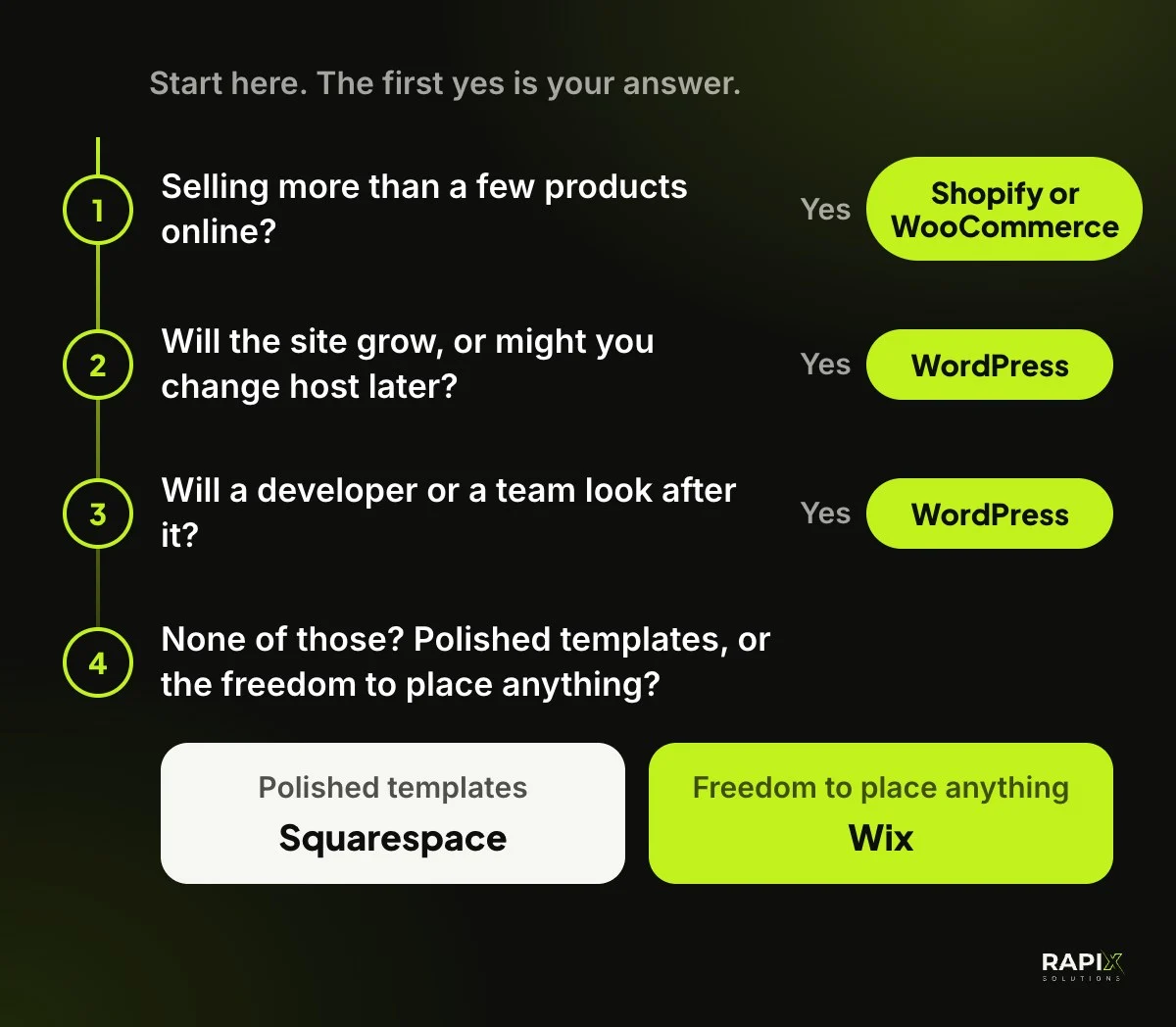
- Squarespace if you want a polished site of a few pages, you’ll run it yourself, and you’d rather it looked tidy than place every element.
- Wix if you’ll build it yourself, want the most freedom to place things, and don’t mind the site living on Wix.
- WordPress if the site will grow, several people will edit it, or you want to own it and choose your host and developer. The InspectCar website we built has a page for each region it covers, Brisbane, the Gold Coast and the Sunshine Coast, all from one layout.
- Shopify or WooCommerce for a real online store. We built UR Perfumes as a custom WooCommerce store with gift sets, a wishlist and category filters. Our ecommerce websites page explains how we choose between the two.
Frequently asked questions
Is Wix or WordPress better for SEO?
Both can rank. WordPress gives more control as a site grows, such as structured data, redirects and many location pages, while Wix covers the basics well for a small site. Good content and fast pages matter more than the platform, so SEO alone rarely settles WordPress vs Wix vs Squarespace.
Can I move my Wix site to WordPress?
Not directly. A Wix site runs only on Wix’s servers, so moving means rebuilding the design in WordPress and copying your content across. Your domain can be transferred.
What percentage does Squarespace take from sales?
On the Basic plan, Squarespace adds a 2% transaction fee to online store sales. Core and Advanced add none. Card processing fees from your payment provider apply on every plan.
What’s the cheapest website builder in Australia?
For a simple site you build yourself, a builder’s entry plan is usually the cheapest way to start, because hosting is included. Check Wix’s and Squarespace’s plan pages from Australia for current prices in Australian dollars, and compare yearly billing, which costs less per month. WordPress software is free, but hosting usually renews at a higher price after the first term.
Is WordPress hard for a small business owner to use?
Not once it’s set up well. With a page builder such as Elementor, you click into the page and type, as QLD Car Inspection’s team does. The harder part is upkeep: updates and backups need someone responsible.
What’s the difference between WordPress.com and WordPress.org?
WordPress.org is where you get the free software to install on hosting you choose. WordPress.com is a hosted service that runs WordPress for you, closer to a builder, with plans that decide what you can install.
Our honest pick
If the site is small and you’ll run it yourself, choose Squarespace or Wix, and enjoy never thinking about hosting. If it has to grow, rank across Queensland and stay yours wherever it’s hosted, choose WordPress, and decide on day one who looks after it. That’s the WordPress vs Wix vs Squarespace answer we give clients, even when it means a builder suits them better than we do. If you’re leaning towards WordPress or an online store, see how we approach web design or tell us what you’re building. We reply the same business day, Brisbane time.